01 / DISCIPLINE
Measure the process, not just the outcome.
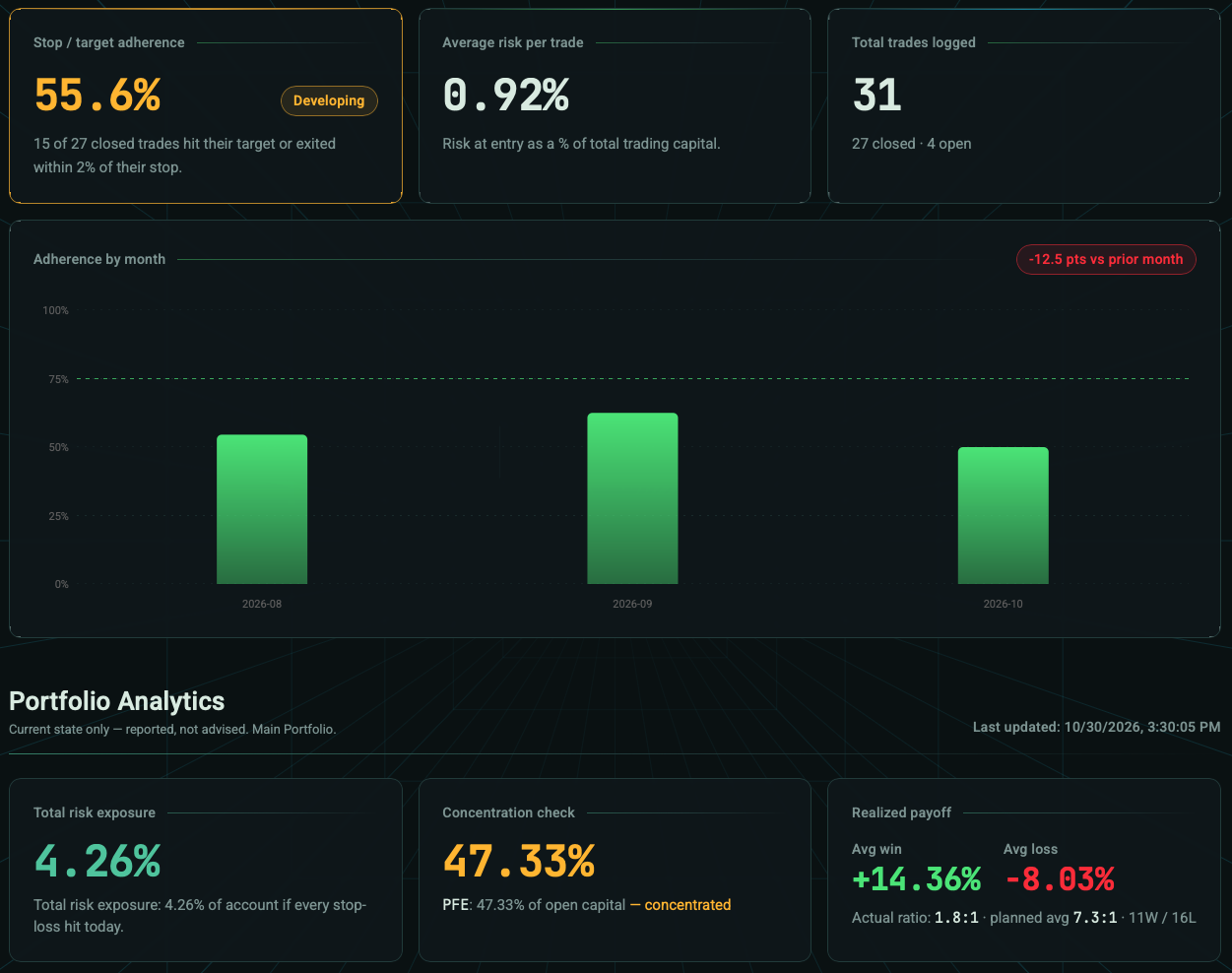
See how often trades respected their planned levels and where execution drifted from the plan.
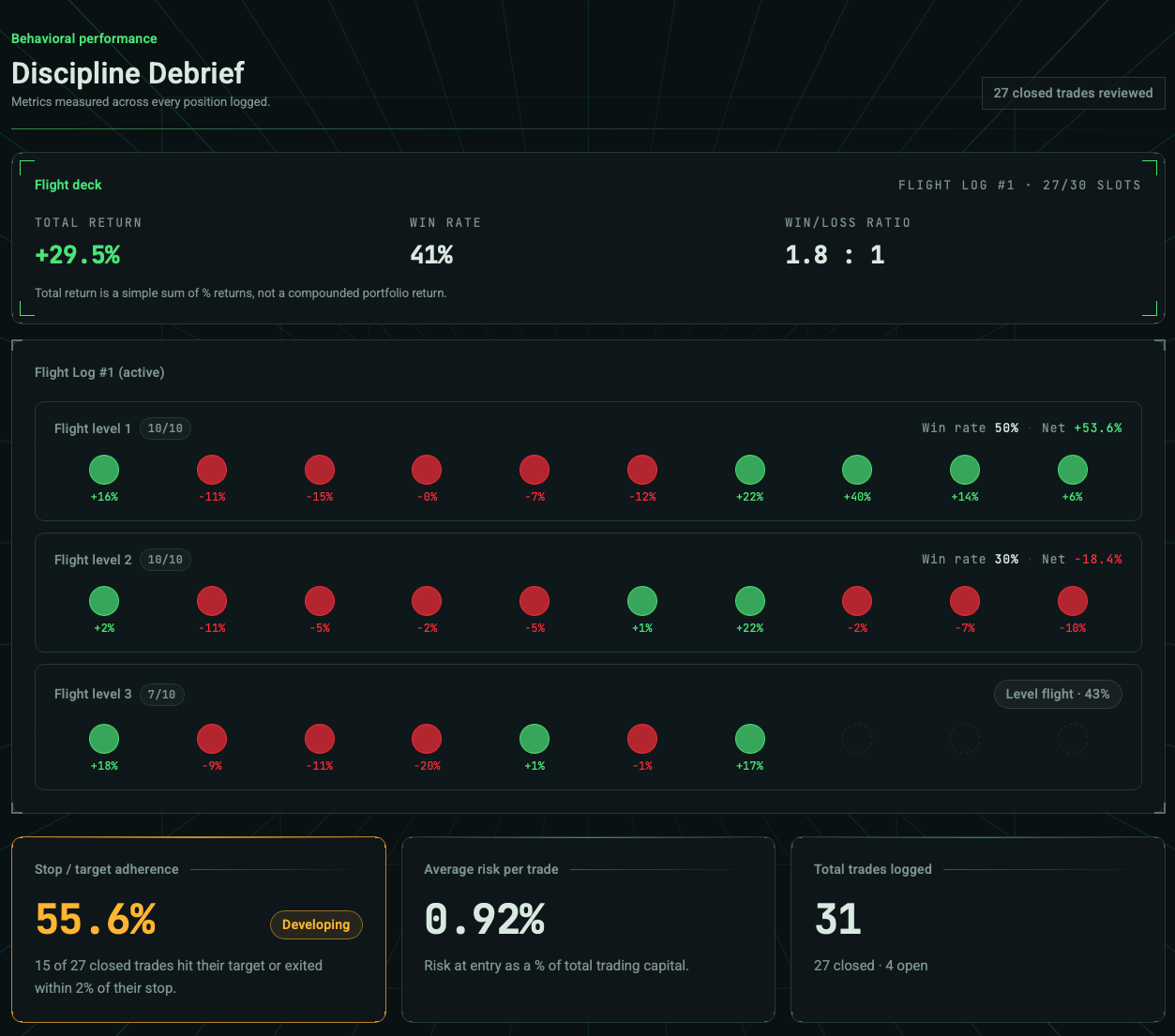
Plan your entries and exits. Keep risk in view. Review the decisions behind every trade.
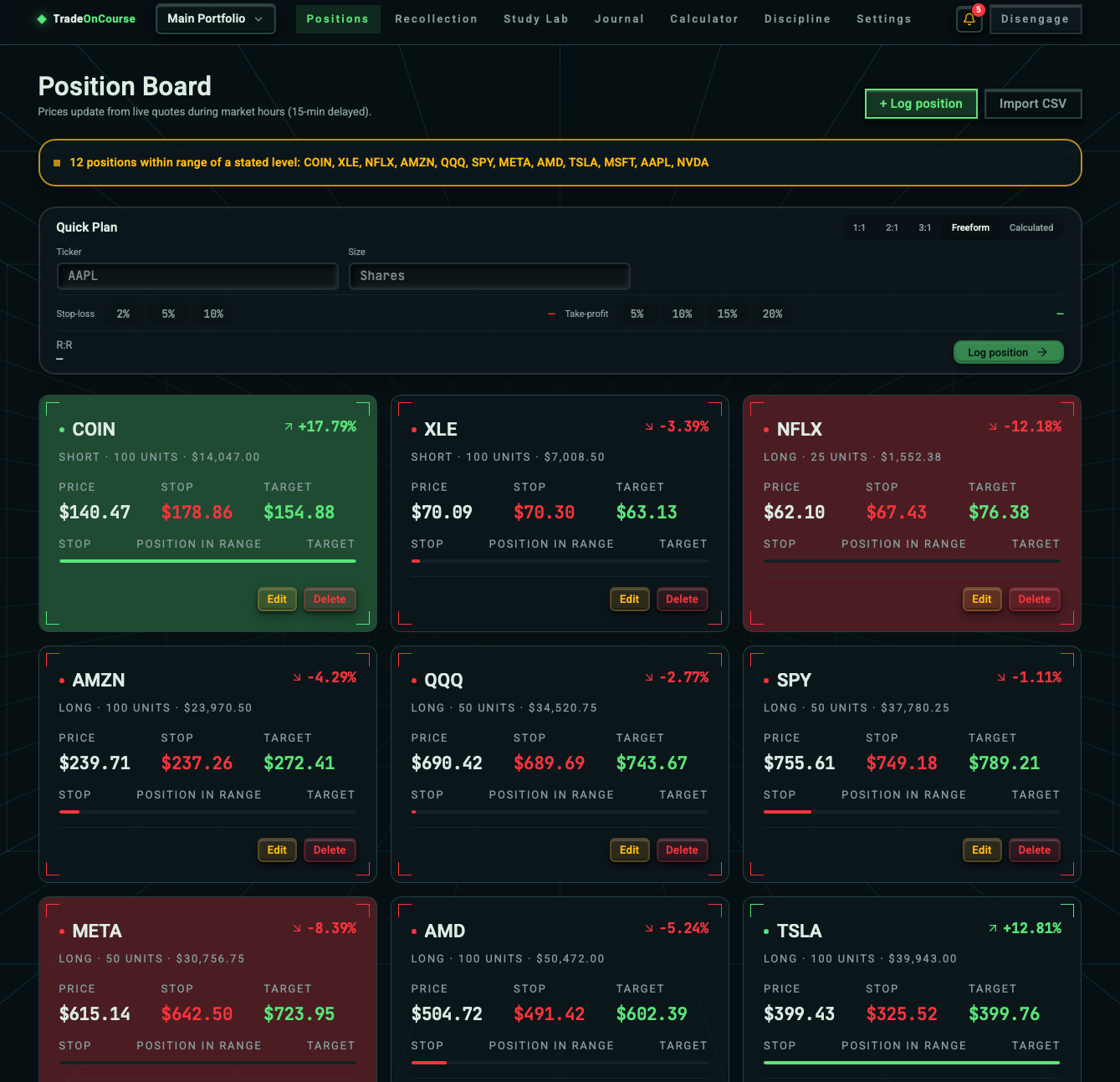
Keep your positions and planned levels together. See entry, current price, stop-loss, and target without piecing your plan together across multiple tools.
Explore the position board →When price reaches a level you defined, TradeOnCourse brings the plan back into view. Review the alert, check your risk and decide what to do next.
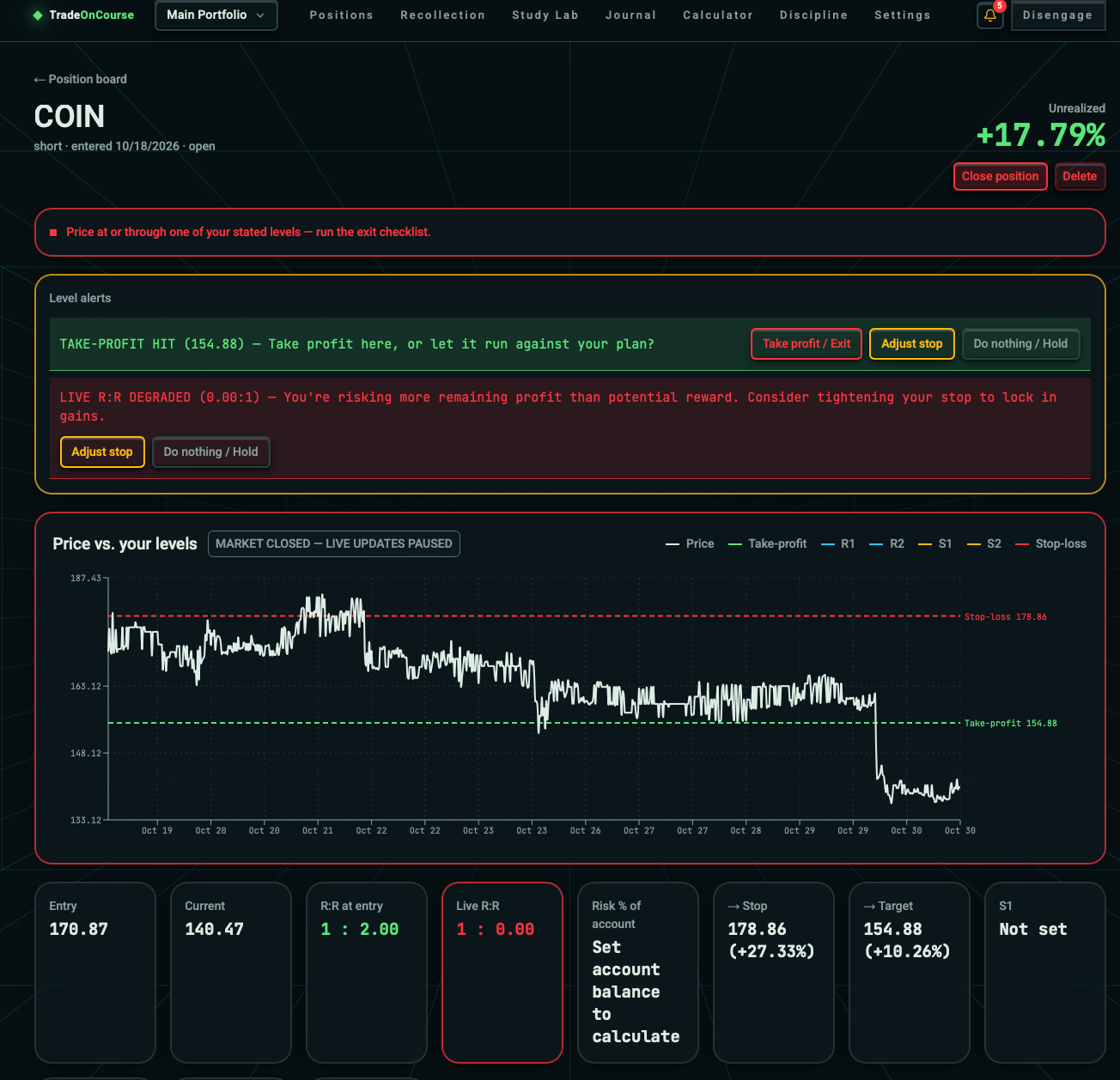
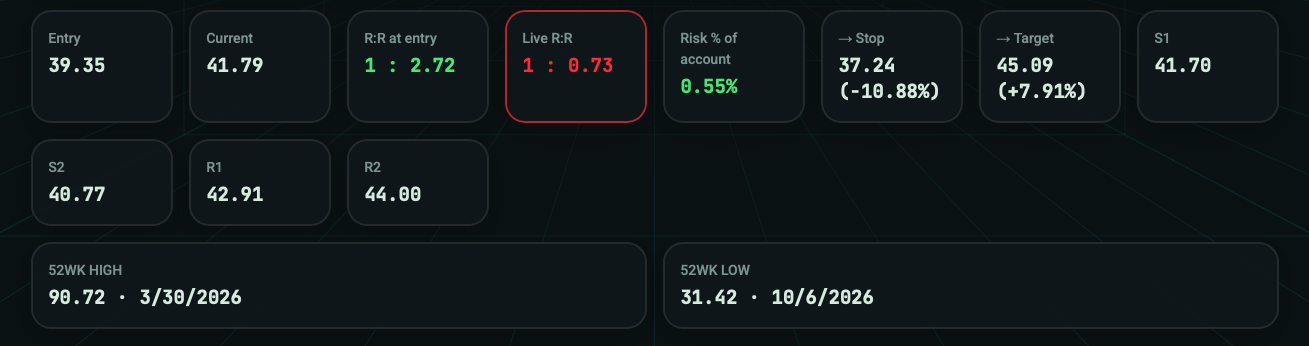
See the numbers that shape a position in one place: entry, current price, risk-to-reward, live R:R, risk as a percentage of equity, stop, target, and key reference levels. Less searching for data. More clarity around the plan.
Risk parametersStop, target, and defined risk in view.
Live contextCompare current price with the original plan.
Key levelsKeep important reference levels close at hand.
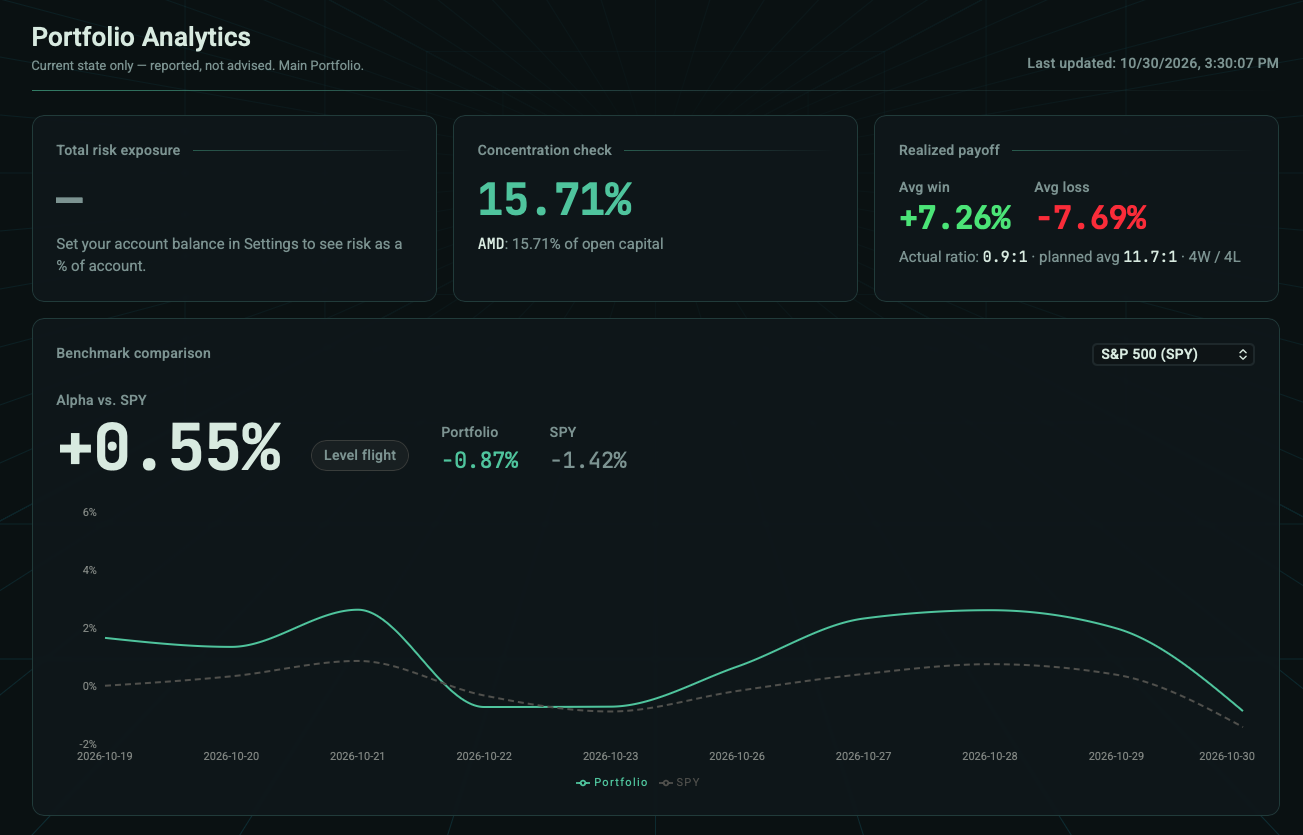
Step back from individual positions. Review portfolio exposure, benchmark context, realized performance, and how consistently you followed your process.
See how often trades respected their planned levels and where execution drifted from the plan.
Review total risk, concentration, realized payoff, and portfolio-level context.
Compare portfolio results with a benchmark and follow performance over time.
Bring closed trades and execution notes into a journal you can revisit and learn from.
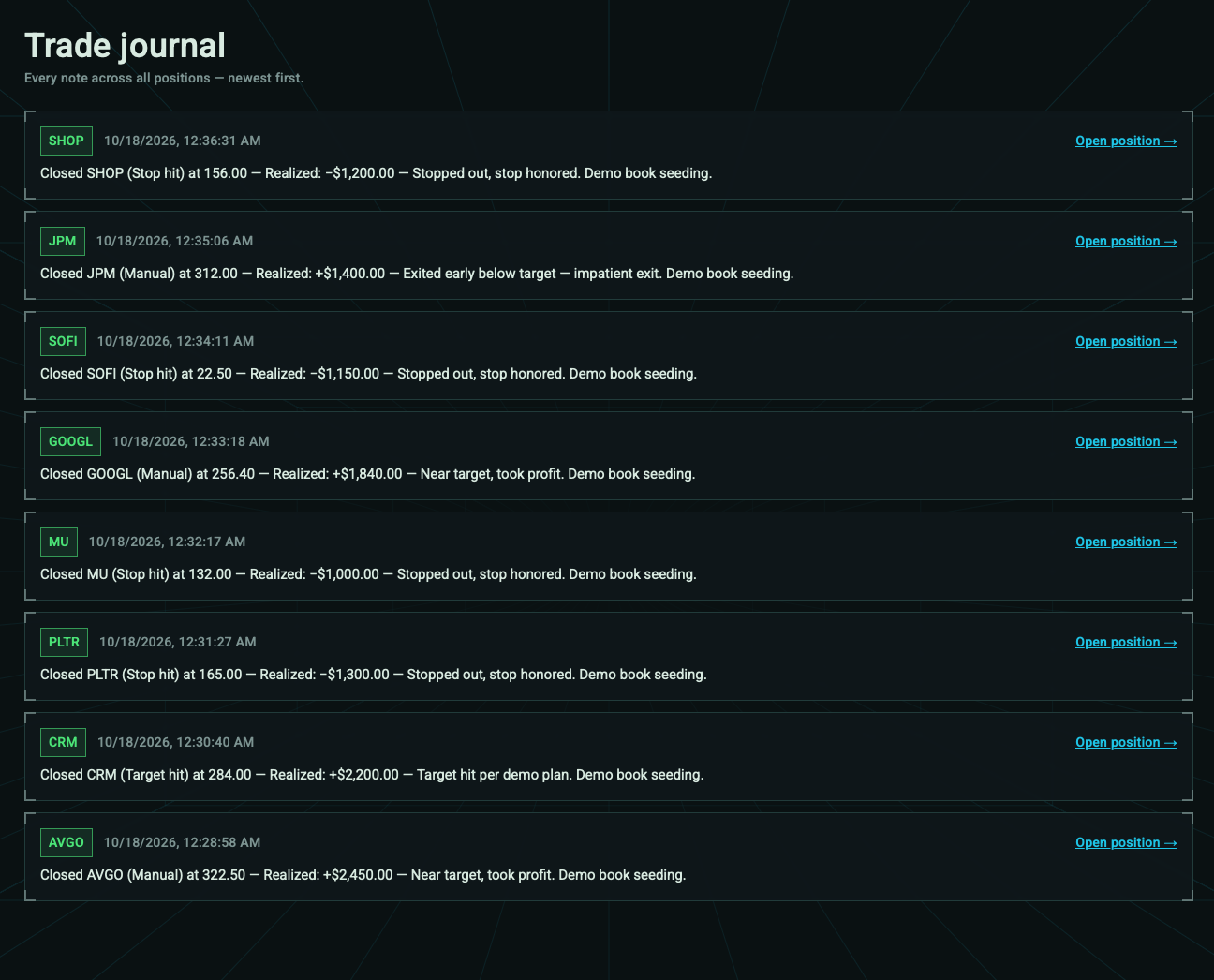
Keep the decisions before, during, and after a trade connected.
Set your ticker, position size, stop, and target before entering the market.
Monitor positions against the levels you chose and review alerts when they matter.
Use your journal and discipline tools to look back at the decisions you made.
Purpose-built features that support the way you plan and manage trades.
Set risk, reward, and position size before the trade.
See when price approaches a stated stop or target.
Keep watch over ideas with price and volume triggers.
Review trades and measure how closely you followed your own levels.
Bring your positions, levels, and trading process together.